Answered by a licensed electrician
Why does my dimmer switch buzz?
Quick answer
A dimmer switch usually buzzes because the dimmer and LED bulbs are incompatible, the dimmer is overloaded, a connection is loose, or the dimmer is an older rheostat style. Smart dimmers and other specialty devices typically cost $120–$250 installed, depending on the device and wiring condition.
A buzzing dimmer is usually a compatibility problem, a load problem, or a loose connection
A dimmer switch buzzes when something in the dimming circuit is vibrating electrically or mechanically. With modern LED lighting, the most common cause is a mismatch between the dimmer and the bulb driver, not a failing bulb by itself.
A dimmer does not simply “turn the power down.” Most wall dimmers chop the AC waveform so the lamp receives power in pulses. Incandescent bulbs tolerate that well. LEDs rely on a small electronic driver inside the bulb or fixture, and some drivers do not like the chopped waveform from certain dimmers. The result can be buzzing at the switch, buzzing at the fixture, flickering, shimmer at low levels, or lights that never fully dim.
The main causes we check are:
- LED incompatibility: the bulb or fixture is not rated for dimming, or it is not compatible with that dimmer model.
- Wrong dimmer type: an older incandescent dimmer is being used with LED lamps, or a forward-phase dimmer is being used where the fixture needs reverse-phase control.
- Overloaded dimmer: the connected lighting load exceeds the dimmer’s rated capacity, especially in multi-gang boxes where dimmers are de-rated.
- Underloaded dimmer: some LED dimmers need a minimum load to operate quietly and smoothly.
- Loose terminal or splice: a conductor, wirenut, device terminal, or backstabbed connection is not tight.
- Old rheostat-style dimmer: older dimmers can hum from worn components and waste heat in a way modern electronic dimmers do not.
If the buzzing started right after changing to LED bulbs, compatibility is the first suspect. If it started after adding more fixtures, changing a chandelier, or installing pot lights, load and dimmer rating matter more. If the buzzing changes when you press on the wall plate or wiggle the switch, stop using it and have the connection checked.
For replacement, we normally use a CSA-approved dimmer matched to the lamp type, load, box fill, and whether the circuit has a neutral. City Power Electrical Services is an ECRA/ESA licensed electrical contractor, ECRA/ESA #7015314, and we replace dimmers across Toronto and the GTA with ESA notification where required.
For switch and dimmer service, see our switches and outlets service, or compare pricing on dimmer switch installation.
If the fixture buzzes, the problem may be the bulb driver rather than the wall switch
Buzzing at the fixture points to the lamp, transformer, or LED driver; buzzing inside the wall box points more toward the dimmer, connection, or load rating. The sound location matters because the repair is different.
Stand in the room when the lights are on at full brightness, then slowly dim them down. Listen at the switch and then near the fixture. Do not remove covers or touch wiring while powered. You are only trying to identify where the sound is loudest.
| What you hear | Likely cause | Usual fix |
|---|---|---|
| Buzz comes from the switch box | Dimmer electronics, overload, loose conductor, old dimmer | Replace with compatible dimmer and inspect terminations |
| Buzz comes from the LED bulb | Bulb driver not compatible with dimming | Use dimmable bulbs listed for that dimmer type |
| Buzz comes from a recessed fixture | Integrated LED driver or remote driver issue | Match dimmer to driver, or replace driver/fixture |
| Buzz comes from a low-voltage chandelier | Transformer/driver mismatch | Use the correct magnetic/electronic low-voltage dimmer |
| Buzz only at low dimming levels | LED minimum-load or trim setting issue | Program low-end trim or change dimmer/bulbs |
This distinction is especially important with chandeliers, under-cabinet lighting, low-voltage pendants, and integrated LED fixtures. Many of those products use a separate driver hidden in the canopy, ceiling box, cabinet, or fixture body. The wall dimmer may be fine, but the driver may not be designed for that dimming method.
For screw-in bulbs, check three things before assuming the wiring is faulty:
- The package says dimmable.
- The bulb manufacturer lists compatibility with your dimmer model or dimmer type.
- All bulbs on that dimmer are the same type and brand if possible.
Mixing one incandescent bulb with several LEDs, or mixing different LED brands on the same dimmer, can create odd behaviour. The lights may work, but the electronics are not sharing the dimming waveform evenly. In a dining room chandelier, one noisy bulb can make the whole fixture sound like the switch is failing.
Smart bulbs add another layer. Most smart bulbs want constant full power and should not be controlled by a normal wall dimmer. If a dimmer is feeding smart bulbs, buzzing, flashing, dropouts, and app connection issues are common. A smart switch or smart dimmer must be chosen based on whether the load is a smart bulb, a standard dimmable LED, or a fixture with its own driver. For that decision, our guide to smart switches versus smart bulbs is a useful next read.
An overloaded or mis-rated dimmer should be replaced, not ignored
A dimmer that is carrying too much load can buzz, fail early, or run hotter than it should. The rating on the dimmer is not just a suggestion; it is part of the safe installation.
Every dimmer has a wattage rating and a load type rating. An older 600 W incandescent dimmer is not automatically good for 600 W of LED lighting. LED ratings are usually lower because the electronics behave differently. Multi-gang installations also matter: when two or three dimmers sit side by side in the same box, the metal side tabs may be removed and the dimmers may need to be de-rated according to the manufacturer’s instructions.
Here is what we check before installing or replacing a dimmer:
- Load type: incandescent, dimmable LED, electronic low-voltage, magnetic low-voltage, fan control, or smart device.
- Total wattage: the number of fixtures multiplied by the actual wattage of each lamp or integrated fixture.
- Dimmer rating: both the maximum and minimum load for that model.
- Gang box conditions: single switch box, two-gang, three-gang, insulation crowding, and box fill.
- Neutral requirement: many smart dimmers require a neutral in the box; older switch loops may not have one.
- CSA approval: the device should be approved for use in Canada, not an imported device with no recognized certification.
A common example is a finished basement or main floor with many LED pot lights on one dimmer. The wattage may look low compared with incandescent lighting, but the inrush current and driver design can still be hard on the dimmer. Another common example is a chandelier where homeowners change from eight incandescent lamps to eight LEDs but keep the old dimmer. The load is smaller, yet the buzzing gets worse because the dimmer is not LED-compatible.
If the switch is buzzing and also feels unusually warm, has a smell, or shows discolouration, treat it as a higher-risk symptom. That overlaps with a different fault pattern, which we explain in why a light switch is hot. For a dimmer that only makes a faint electrical hum with no heat, flicker, or smell, replacement is still usually the cleanest fix, but it is less urgent than heat or arcing signs.
Specialty devices such as smart dimmers, timers, and advanced LED dimmers are usually in the $120–$250 installed range, depending on the device and box conditions. A simple switch replacement is typically less complex; see light switch replacement cost if you are deciding whether to replace the dimmer with a standard on/off switch instead.
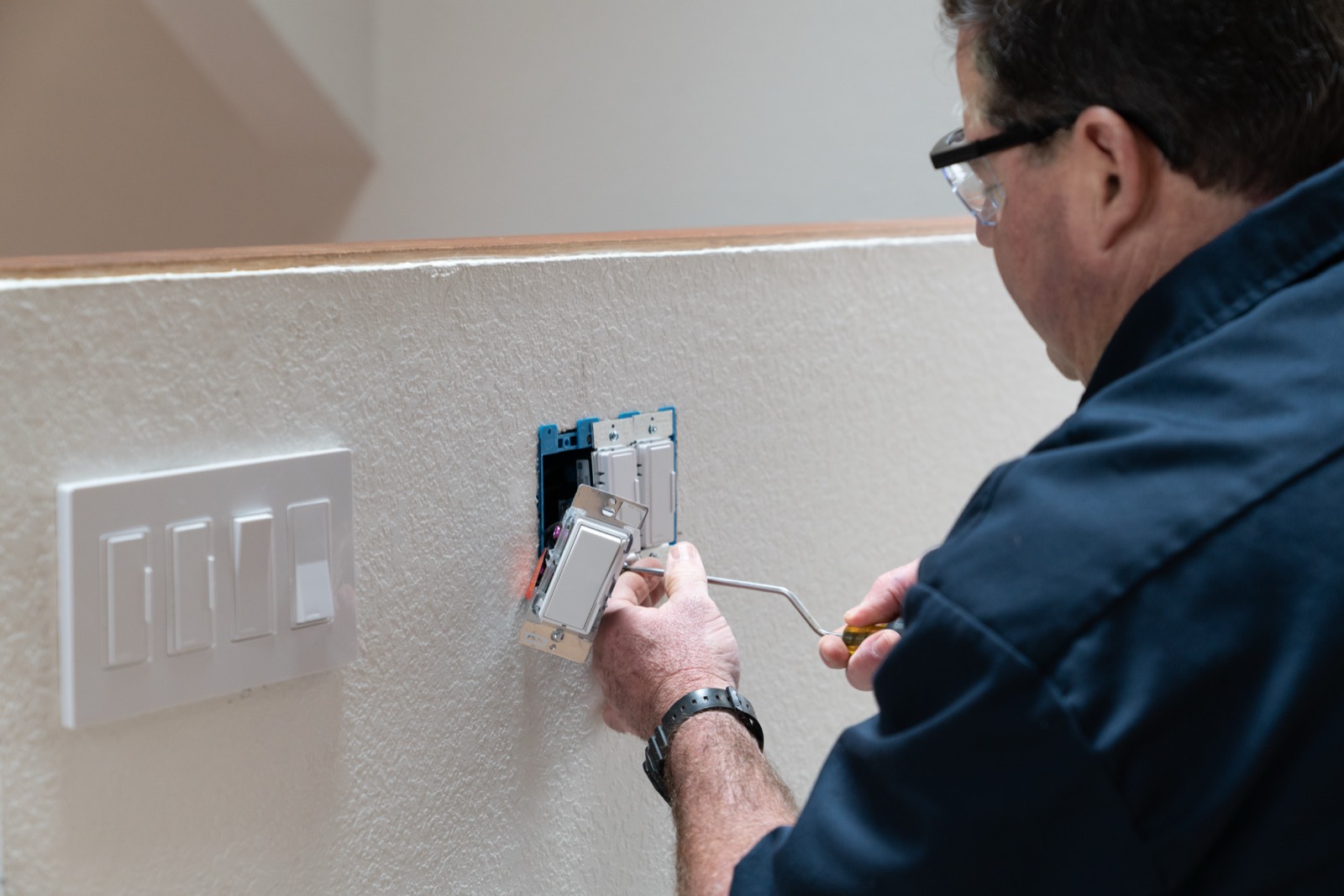
A loose connection can make a dimmer buzz and should be checked with the power off by a qualified person
A loose connection can buzz because the conductor is vibrating, arcing microscopically, or not clamped firmly under the terminal. This is the cause we do not want homeowners to dismiss as “just an LED noise.”
Inside a dimmer box, there may be line, load, ground, travellers for a three-way setup, neutrals tied through the box, and sometimes low-voltage control conductors depending on the system. If any connection is loose, damaged, oxidized, or jammed into an overcrowded box, the dimmer can make noise or behave unpredictably.
Warning signs that point beyond simple LED mismatch include:
- Buzzing that started suddenly after years of quiet operation.
- Crackling, sizzling, or intermittent light cutouts.
- A burning smell or brown marks on the wall plate.
- Lights that change when the switch is touched or the wall plate moves.
- A dimmer controlling more fixtures than it used to.
- A three-way dimmer that only works correctly from one location.
- Old cloth wiring, brittle insulation, or very shallow metal boxes.
Do not keep cycling the dimmer to “test” it if you suspect a loose connection. Turn the lighting circuit off at the breaker if you can do so safely, and book service. Troubleshooting usually means removing the device, testing line and load, checking torque and splices, confirming grounding, and verifying the dimmer is approved for the actual load.
Old rheostat dimmers deserve special mention. They were built for incandescent lighting and often produce noticeable hum and heat as part of how they operate. In older Toronto and North York homes, we still see bulky rotary dimmers that were installed long before LED lamps existed. Even if they still turn the lights on, they are poor matches for modern LED fixtures and may sit in boxes that are too crowded for today’s devices. Replacing the dimmer often reveals other issues, such as no bonding conductor at the box, damaged insulation, or a switch loop without a neutral.
A proper replacement is not just “put in any dimmer.” The right appointment includes identifying the lighting load, choosing a CSA-approved compatible device, making safe terminations, fitting the device without pinching conductors, installing the correct wall plate, and testing the full dimming range. If new wiring, box changes, or broader corrections are needed, the work is handled with the required Ontario Electrical Safety Code process and ESA inspection where applicable.
If you want more troubleshooting topics, our electrical answers hub groups common symptoms by switches, outlets, breakers, lighting, and panels.
Want a licensed electrician to take a look?
Free written quote, usually the same day. ESA permits handled.
People also ask
Is a buzzing dimmer switch dangerous?
A faint hum from an incompatible LED dimmer is common, but buzzing with heat, smell, flicker, crackling, or discolouration is not something to ignore. Turn the circuit off if there are arcing signs and book a licensed electrician. The cause may be a loose connection, overloaded dimmer, or failing device.
Can I stop a dimmer from buzzing by changing the bulbs?
Sometimes, yes. If the buzz began after installing LED bulbs, use dimmable bulbs listed as compatible with your dimmer type. Keep all bulbs on that dimmer the same brand and model where possible. If the sound comes from the wall switch, the dimmer itself may still need replacement.
Do LED lights need a special dimmer?
Most LED lights need an LED-rated dimmer, and some fixtures require a specific forward-phase, reverse-phase, magnetic low-voltage, or electronic low-voltage dimmer. Check both the fixture instructions and the dimmer’s compatibility list. The device should also be CSA-approved for use in Canada.
Should I replace an old rotary dimmer?
Usually, yes. Old rotary or rheostat-style dimmers were designed for incandescent loads and often buzz or run warm with modern lighting. Replacing them with a compatible LED dimmer improves control and gives the electrician a chance to check the box, grounding, splices, and load rating.